A peer-to-peer notepad that lives entirely in your browser. Share a room key, edit in real time, keep your notes locally. Nothing touches a server.
Free · Open source · No account · Works offline
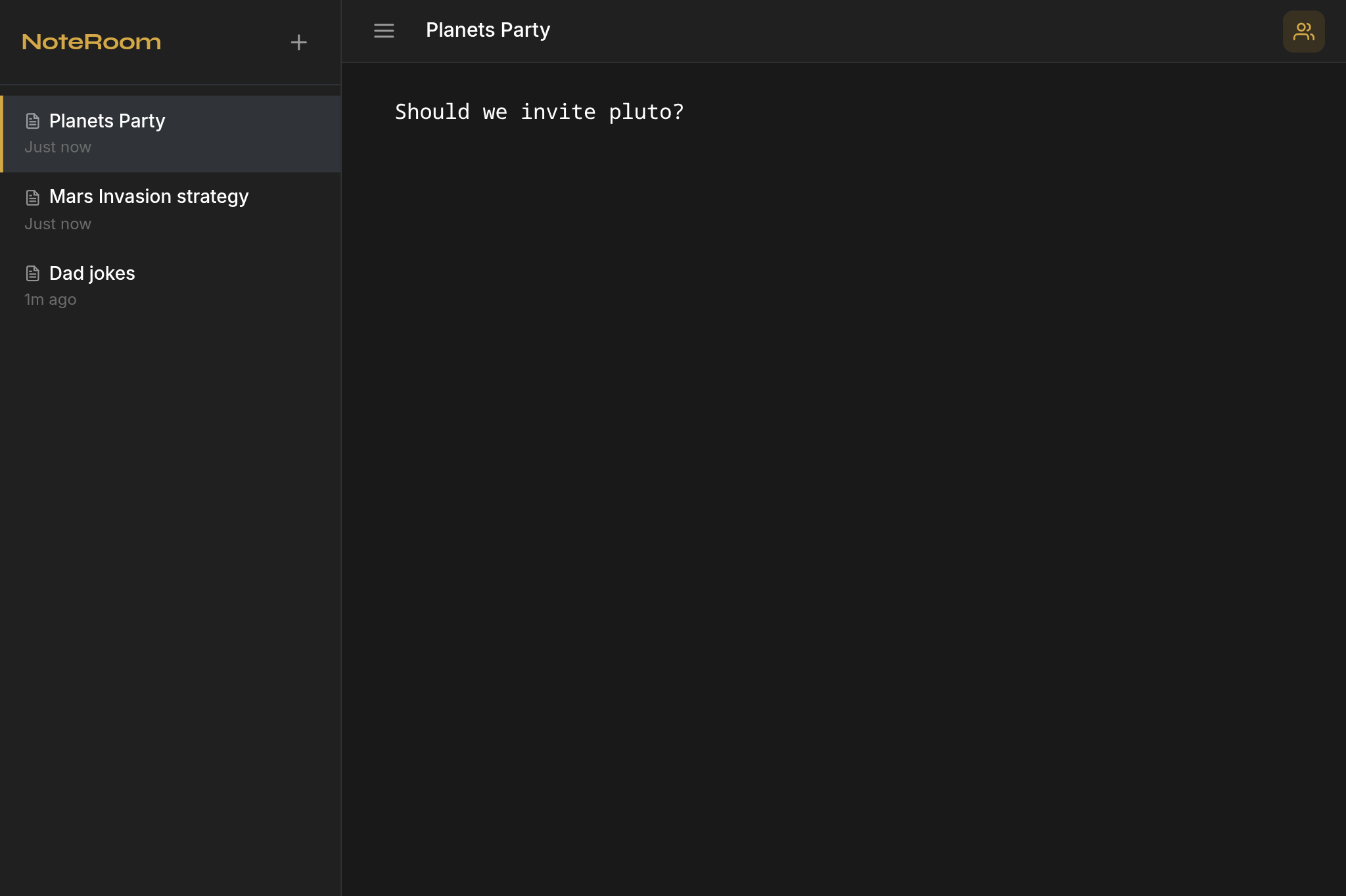
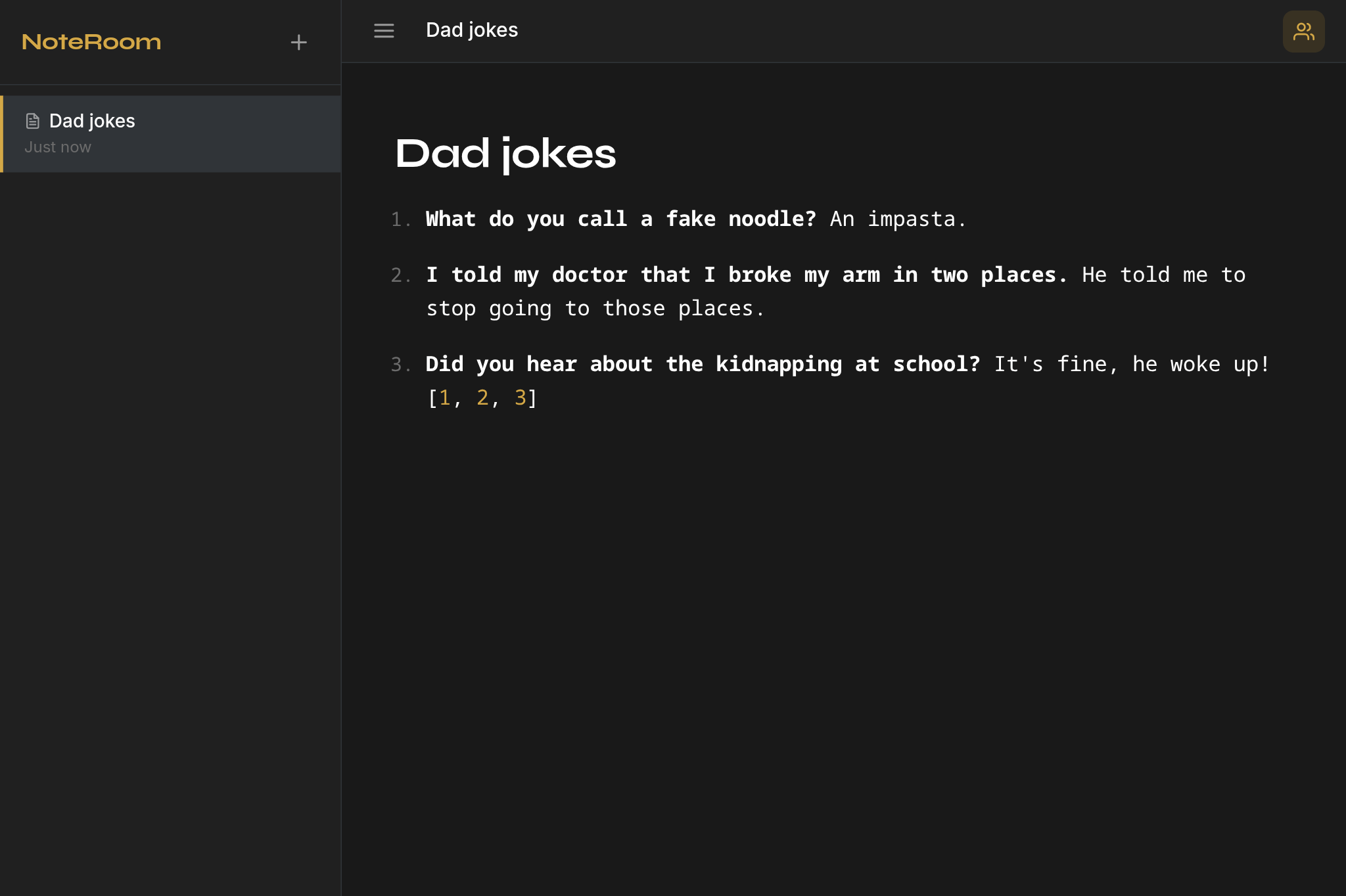
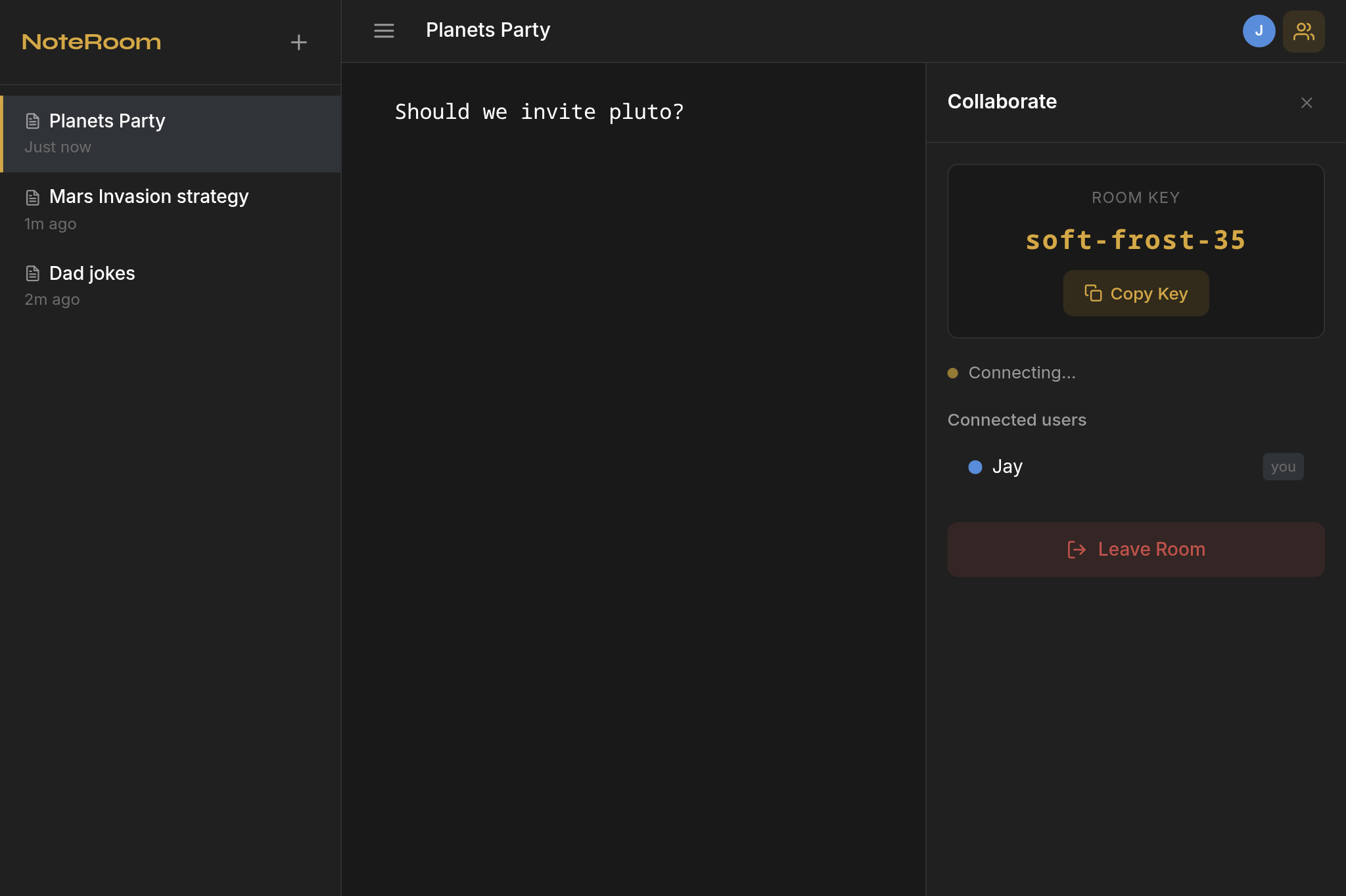
The actual extension. No mockups.
THREE THINGS WORTH KNOWING
Everything is saved in Chrome's local storage on your device. We have no database, no cloud, no server holding your writing.
When you share a note, the content travels between browsers — not through us. A signaling server handles only the connection handshake, never your text.
Install it, click the icon, start writing. Collaboration requires nothing but a room key you share with the other person. That's everything.
NOTES
Journals. Meeting logs. Brainstorms. To-do lists. Code snippets. NoteRoom handles all of it. Your notes are stored locally and open instantly — no loading screen, no sync delay, no internet required.
COLLABORATION
Click Share, get a short room key — something like "soft-frost-35". Send it over Slack, WhatsApp, text, or email. The other person enters it in their NoteRoom and your note opens in their browser. Every edit either of you makes appears instantly on the other's screen.
PRIVACY
Solid line = your note content (direct). Dashed line = connection setup only.
No account. No configuration. No waiting.
One click. Free. No account required. NoteRoom opens as a full tab when you click the extension icon.
The editor opens immediately. Write anything — rich text, lists, headings, code. Your note saves automatically to your browser.
Click Share, copy the key, send it to anyone. They install NoteRoom, enter the key, and you're both in the same note in real time.
Quick collaborative notes without another account to manage. Share a key in Slack, write together, done.
Sensitive notes that never touch a company server. Source protection by default.
Collaborative study notes without needing a school email or shared account.
Full code block support. Write technical docs together without a shared Google account.
A clean, distraction-free editor with no algorithm deciding what you write next.
For anyone who has ever wondered what a notes app does with their writing. NoteRoom's answer: nothing.
NoteRoom is free, open source, and built around one idea: your notes should stay exactly where you put them.
Add to Chrome — it's freeFree · No account · Open source · Works offline